How to Block Various Programs Through the Windows firewall – For gamers who always download free game, something like this is quite important to know. Why so? to prevent the game being played offline to online.
Actually, this way I write is inspired by the game Naruto Shippuden: Ultimate Ninja and Tropico 4 that it should be blocked through the firewall to be able to walk normally, knowing not everyone knows the steps. If you download a game that does not need in-block connection, please ignore the explanations below.
Tutorial
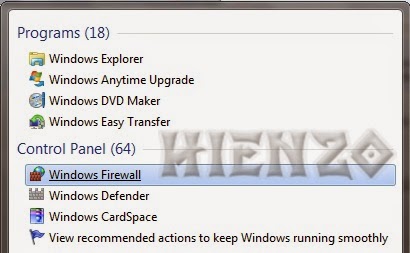
1. Open Start (Windows logo), type Windows Firewall and click program.
1. Open Start (Windows logo), type Windows Firewall and click program.
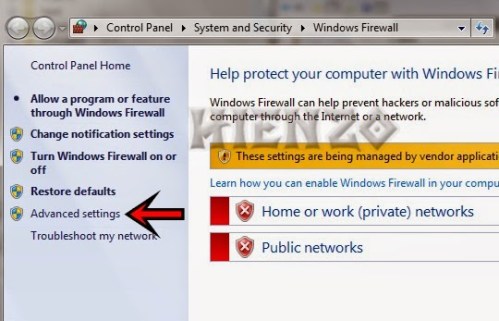
2.Klik Advanced settings di menu kiri.
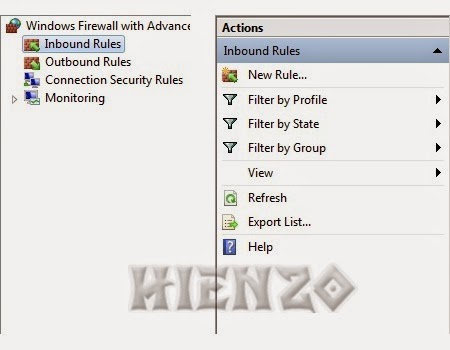
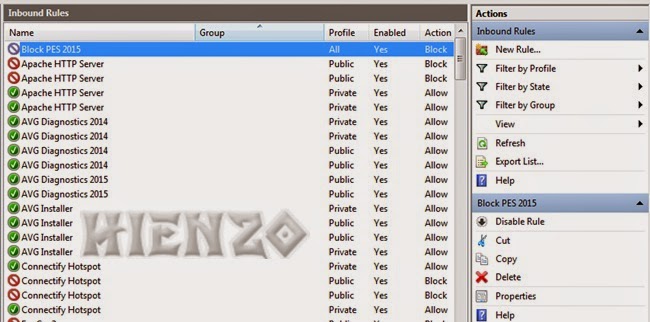
3. Click Inbound Rules (left).
4.Lanjut select New Rule (right).
4.Lanjut select New Rule (right).
5. In Rule Type, select Program.
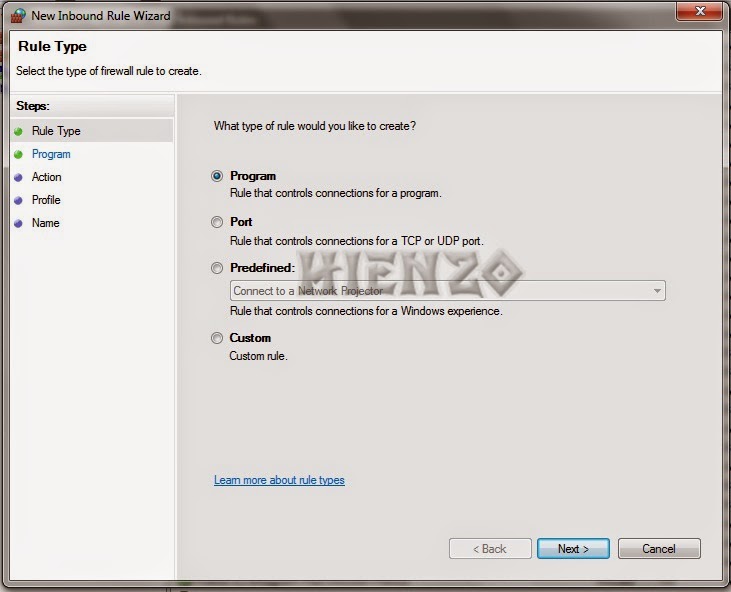
6.Browse game exe file locations.
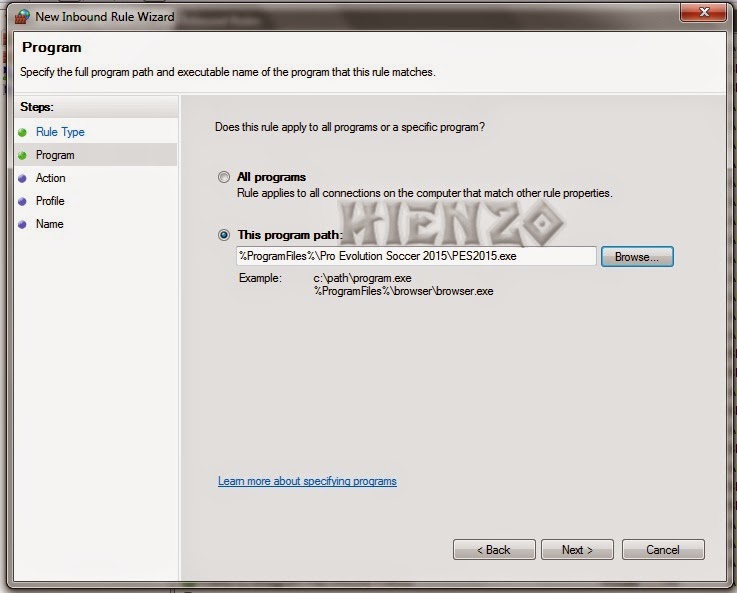
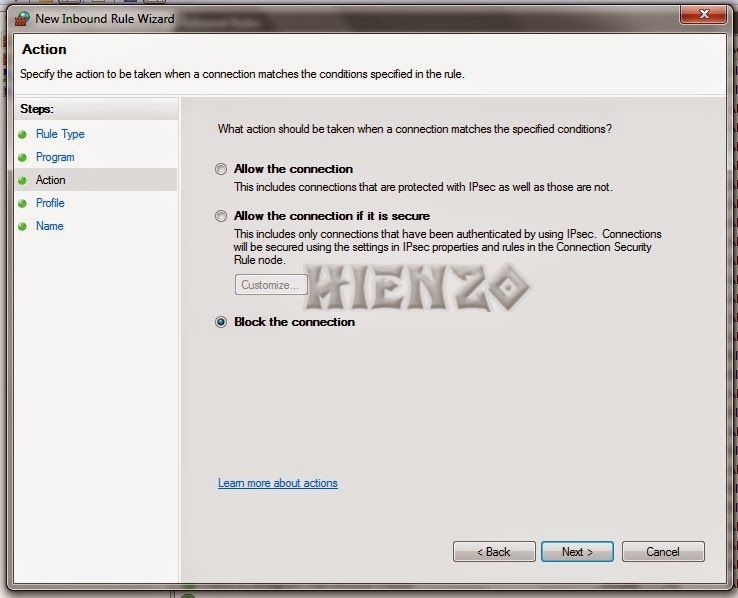
7.Pilih Block the connection dan Next.
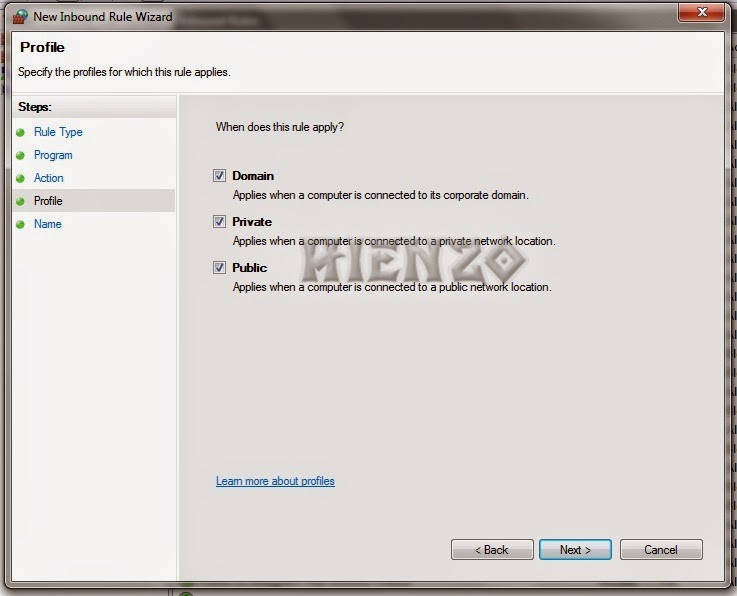
8.Centang three options, the Domain, Private and Public .
9.Beri name in the column name and click Finish.
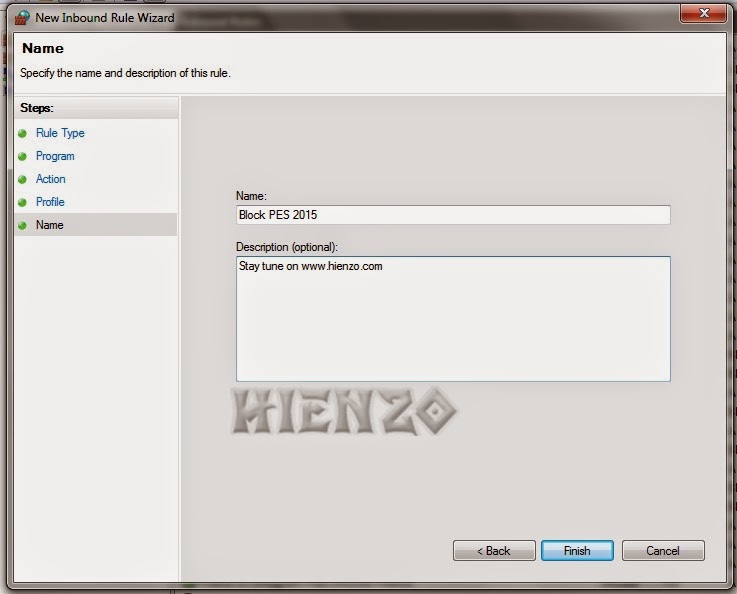
10. Click Outbound Rules, do numbers 4 to 9.
Want to remove / restore the settings as the original?
- 1x click the program name on the Inbound Rules and Outbound Rules , and then select Delete.
 gamecrackster