This tutorial I created specifically for hienzo blog visitors are confused with how to download in various file hosting , because I often upload the games and anime in mirrorcreator. There are four reasons why I rely more on hosting this file.
- Backup quite a lot. So if there is one server that is dead or not found, can be replaced with another.
- The time needed to upload files to many servers as uploaded to one server.
- There are short url and hits or traffic statistics link.
- Maximum size of the uploaded file is quite large, which is 400 Mb.

First of all if there is a link adfly, wait 5 seconds and click on SKIP AD in the right corner.
Note :
Here in gamecrackster we’re offering free download files.
1st Step is To Wait 5 seconds and Click Skip Ad To Continue.

How to Download in Different File Hosting
Downace
- For those who do not understand and want full speed, please see gif How To Download in Downace .
Mirrorcreator
- After visiting the link mirrorcreator, mouse scroll down and select one of the servers.
- Suppose you want to download via sharebeast, then select Click Here to her right.
- If it is still active, the sign blue background and next to no writing Success.
- Then you simply click on the “Your preferred download link is ready! Click here to go to the page “.

Tusfiles
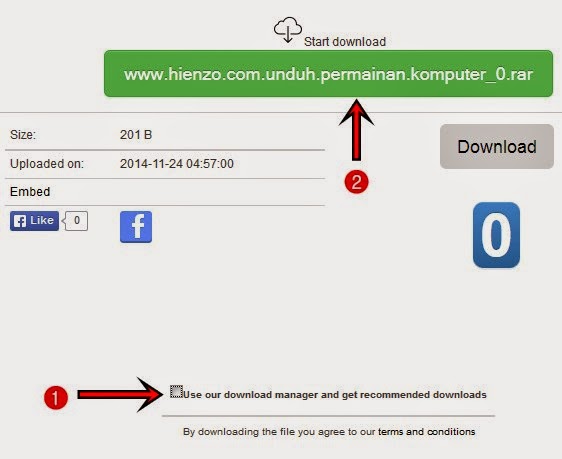
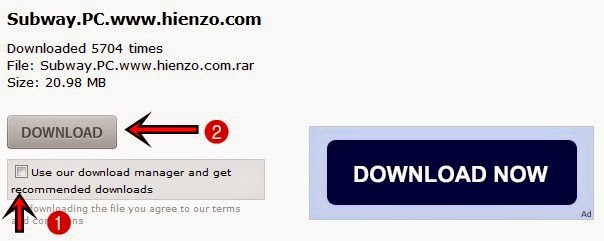
- Uncheck Use our download manager and get recommended downloads . After that click on the green button under Start download. If you want a more practical, List Tusfiles .
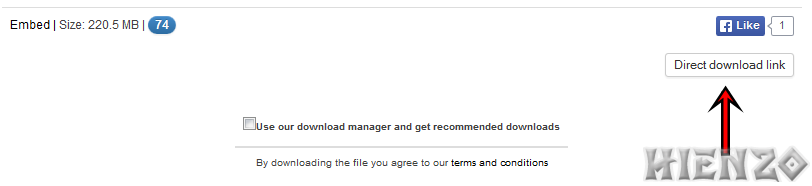
- If no button with a green color, click on Direct download link.
Uppit
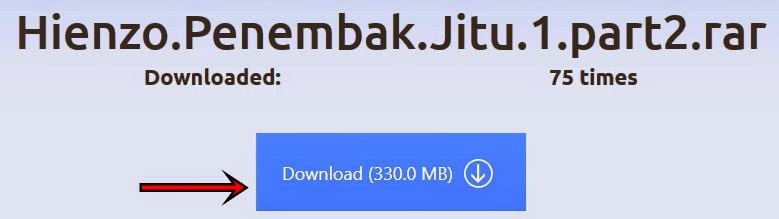
- Wait 6 seconds, and then click Generate Link . Last is clicking the download button and its size.
- Link error? please read How to Cope Link Not Found in Uppit .
Uptobox
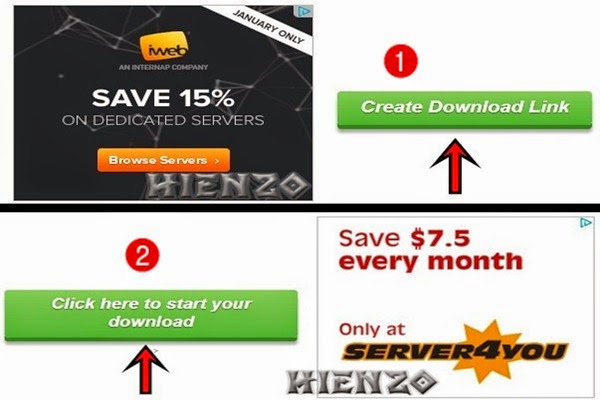
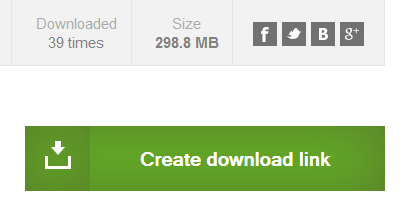
- Click the Create button green download link.
- Once it opens a new page, click on Click here to start your download.
- If the display is not perfect / error, Clear Cookies or see below.
- Scroll down and click the mouse to Create the download link. Then click on the link that is hidden to the left of the sign ->
- What if your downloaded exe file? copy the download link and then paste it into the address bar. Remove link before url uptobox, leaving the code as shown below.
- http://www70.uptobox.com/d/44yvbtmvfcr/Hienzo.PC.Games.rar
- The most rapid solution List Uptobox to avoid the error if the size is too large.


Userscloud
- Click Download under the filename.

Zxcfiles
- Click on Create download link under the caption size.
- Click the link under the “This direct link will be available for your IP next 8 hours.
- Once the download is complete, remove _ZxcFiles on the file name so as not to corrupt the current file extract part.

Solidfiles
- Click Direct download link under the heading Follow button or green color if no.

mediafire
- Enter the captcha, then click Authorize Download . If the error after entering captcha, refresh by pressing F5 to be. Then click Download the green.

Sharebeast
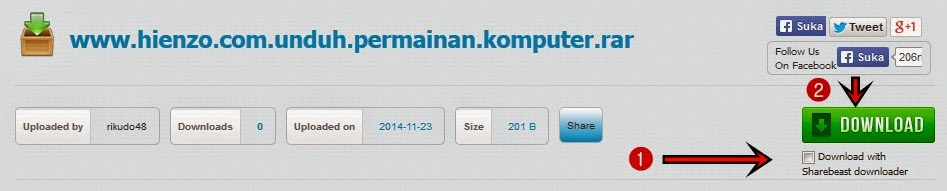
- Uncheck Download with Sharebeast downloader , then click the green button with the words Download.
netload
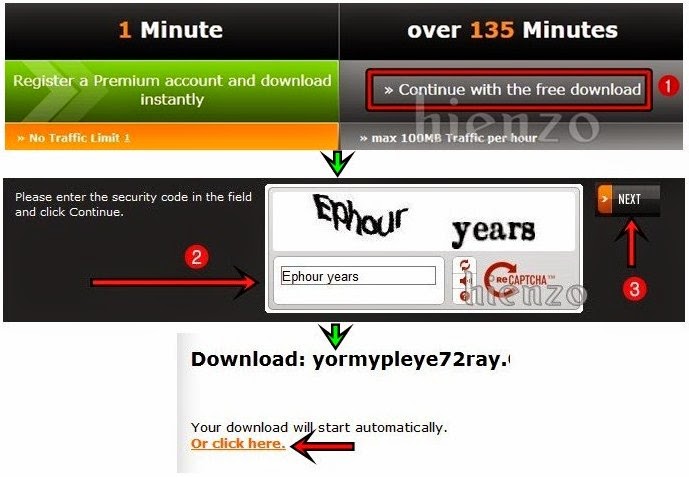
- Click Continue with the free download .
- Wait until the time runs out. Enter the captcha and Next.
- Click the link Or click here .
Zippyshare
- Click the Download Now .

Datafilehost
- Uncheck Use our download manager and get recommended downloads, and click the download button on it.
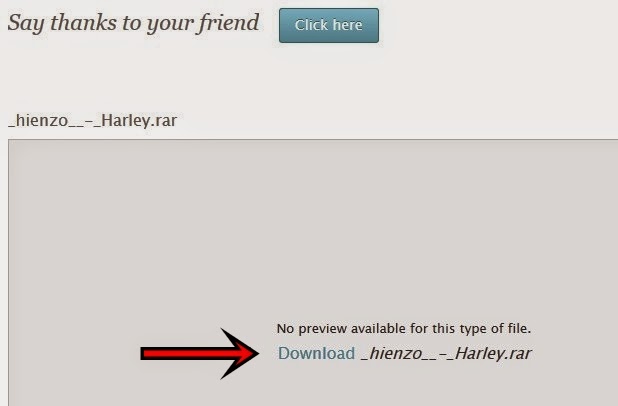
Ge.tt
- Click the download link under the heading No preview available for this type of file .
 gamecrackster