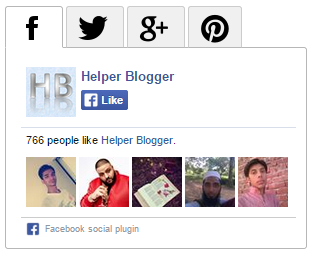
Social widgets on your website allows your readers to follow you on social network without leaving the page.Presenting you another social subscription widget which contains facebook like box, twitter fanbox, google+ follow badge and pinterest follow button.In this widget I am using javascript tabs plugin. Now let me show you how to add this widget to your blog.
Why you should use this widget
- Light weight (No jQuery included)
- It will save a lot of space on your blog as it is tabbed
- 4 top social networks included
- It will boost you follower count on your social network
- Easy to install (No need of copy-paste or changing username)
Things you need before installing this widget
- Some basic things you will need
- Facebook page username
- Twitter Username
- Google+ Numeric ID
- Pinterest username
- In order to use twitter fanbox widget you have to authorize fanbox widget using your twitter account, to authorize twitter fanbox widget follow below steps (or you can see thispost)
- First login to your twitter account (link opens in new tab)
- Now open this link
- Click on Yes
- You are done
How to install this widget?
For easy installation process I have created a blogger widget generator for this widget which will allow you to implement this widget without any copy-paste or without touching coding section.
- Input right usernames in fields
- Click on Generate button
- It will generate code code of your widget
- Click on Add to Blogger button
- Select you blog from dropdown list
- Finally save widget
- That’s it 🙂 Isn’t it easier?? 😀
Widget Generator
OR
If you want to add this widget manually then follow below steps
- Input right usernames/id’s
- Copy the code
- Login to your blogger account
- Go to Layout
- Click on Add Widget > HTML/Javascript
- Paste code and save it
- BoOm!!! Now open your blog…
| Facebook Fanpage Username: | |
| Twitter Username: | |
| Google+ Numeric ID: | |
| Pinterest Username: |
/* Tabbed Social Widget By Helper Blogger - helperblogger.com */
/* CSS Code Start */
ul.tabs {
padding: 7px 0;
font-size: 0;
margin: 0;
list-style-type: none;
text-align: left;
}
ul.tabs li {
display: inline;
margin: 0;
margin-right: 3px;
/*distance between tabs*/
}
ul.tabs li a {
font: normal 12px Verdana;
text-decoration: none;
position: relative;
padding: 25px 10px 0px 10px;
border: 1px solid #CCC;
border-bottom-color: #B7B7B7;
color: #000;
background: #F0F0F0 url(tabbg.gif) 0 0 repeat-x;
border-radius: 3px 3px 0 0;
outline: none;
}
ul.tabs li a:visited {
color: #000;
}
ul.tabs li a:hover {
border: 1px solid #B7B7B7;
background: #F0F0F0 url(http://1.bp.blogspot.com/-XoUjhUwwcsA/VIh-sZtQNbI/AAAAAAAADwk/ECGNslzqmAw/s1600/hb-tabbg.gif) 0 -50px repeat-x;
}
ul.tabs li.selected a,
ul.tabs li.selected a:hover {
position: relative;
top: 0px;
font-weight: bold;
background: white;
border: 1px solid #B7B7B7;
border-bottom-color: white;
}
ul.tabs li.selected a:hover {
text-decoration: none;
}
div.tabcontents {
border: 1px solid #B7B7B7;
padding: 10px;
background-color: #FFF;
border-radius: 0 3px 3px 3px;
margin-top: -7px;
}
/* Tabbed Social Widget By Helper Blogger - helperblogger.com */
/* End Code Start */


<iframe src="//www.facebook.com/plugins/likebox.php?href=https%3A%2F%2Fwww.facebook.com%2Fhelper.blogger&width=285&height=180&colorscheme=light&show_faces=true&header=false&stream=false&show_border=false&appId=409936535724253" scrolling="no" frameborder="0" style="border:none; overflow:hidden; width:285px; height:180px;" allowtransparency="true">
var tw_user = 'helperblogger';
var tw_width = 260;
var tw_height = 250;
var no_face = 8;
(function() {
var tw_box = document.createElement('script');
tw_box.type = 'text/javascript';
tw_box.async = true;
tw_box.src = '//helperblogger.ucoz.com/code/hb-twitter.js';
(document.getElementsByTagName('head')[0] || document.getElementsByTagName('body')[0]).appendChild(tw_box);
})();
<div class="g-person" data-width="250" data-href="//plus.google.com/u/0/106527290580119996124" data-layout="landscape" data-rel="author">
<a href="http://pinterest.com/helperblogger/">

 gamecrackster